
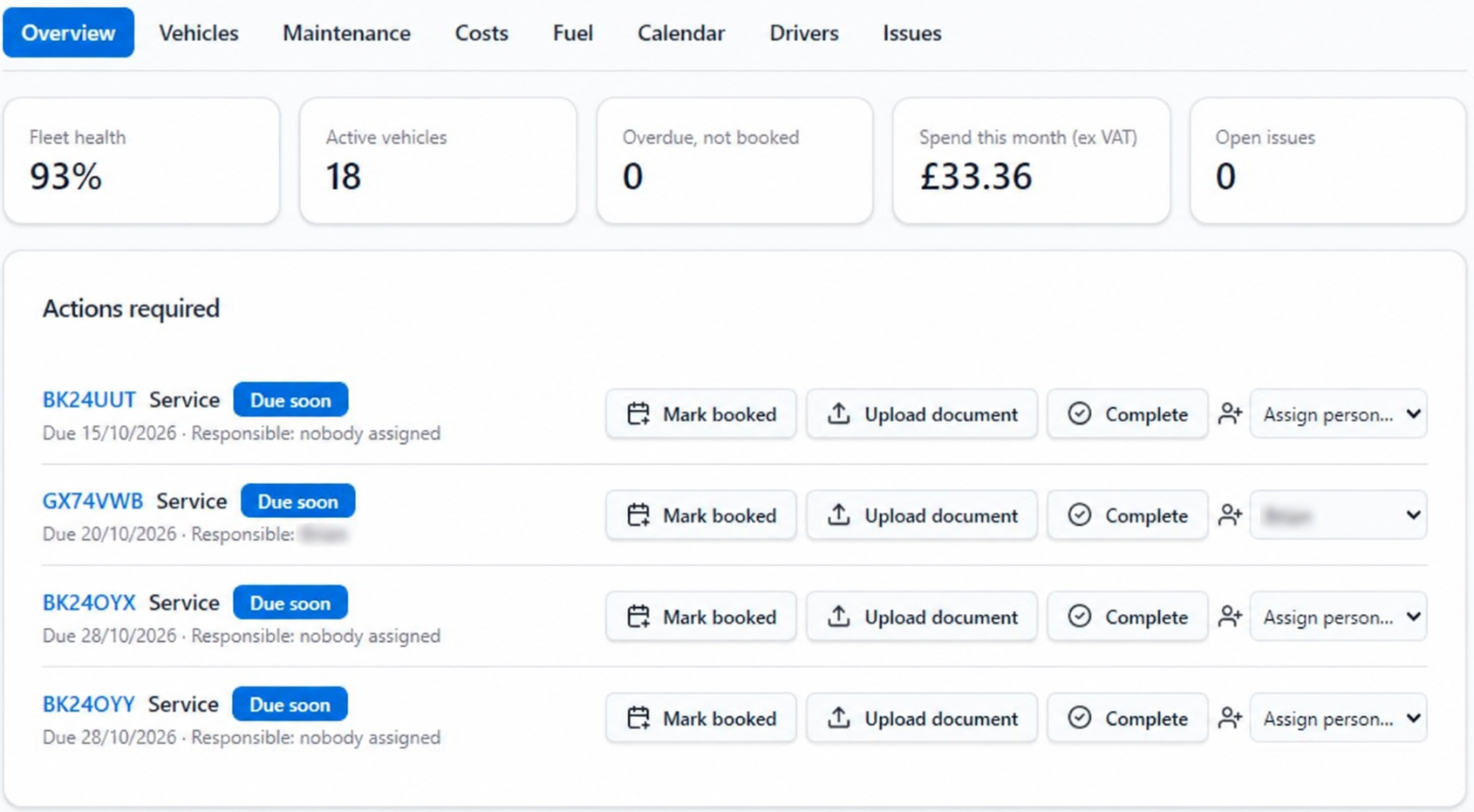
Stay ahead of renewals
Track MOT, service, road tax, insurance and your own vehicle dates, with email reminders based on each date’s settings.
Keep records together
Bring vehicle details, documents, maintenance history, driver assignment and issues into one clear record.
See costs with less admin
Record fuel and other costs by vehicle, category and month, with ex VAT and gross values kept clear.
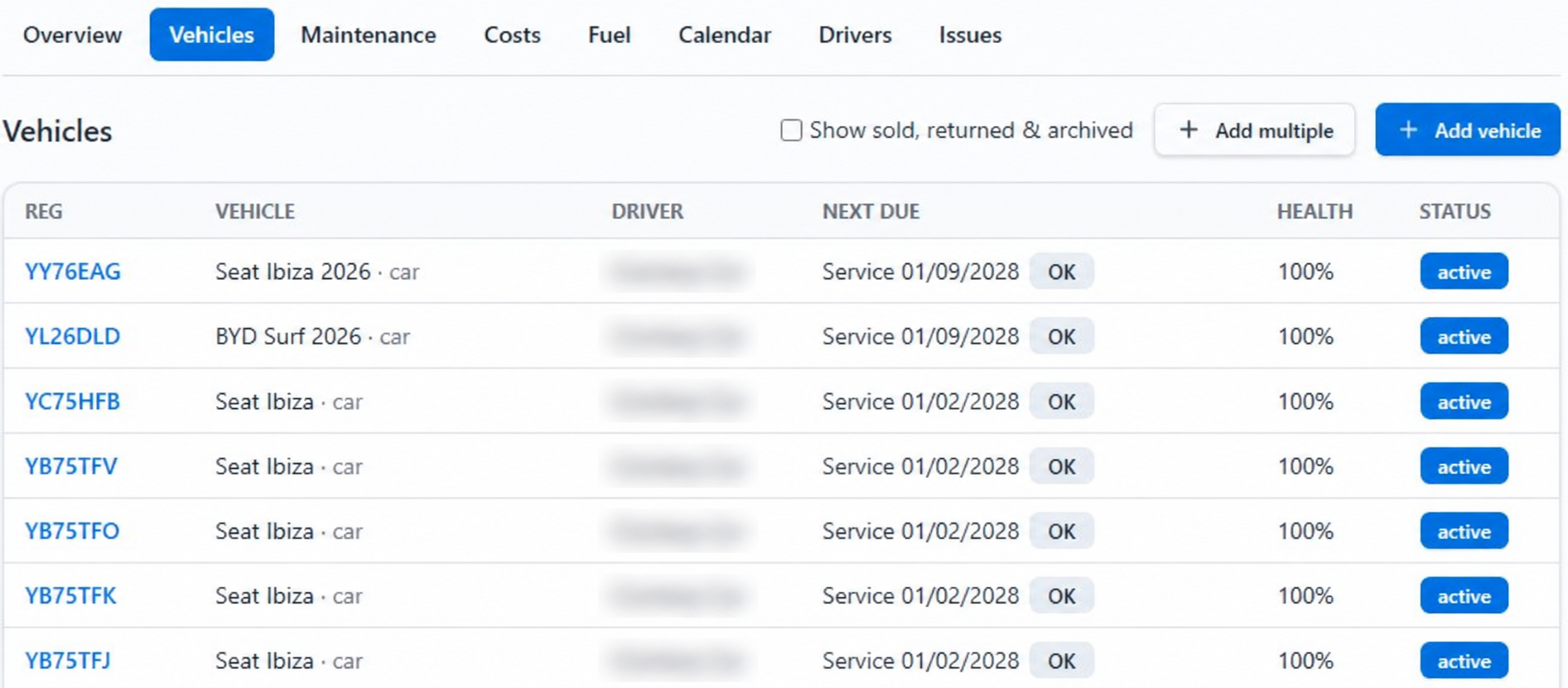
See the record behind every vehicle
Keep registration, make and model, assigned driver, next due item, vehicle health and lifecycle status visible in one register.
- Record mileage, fuel, ownership and responsible person
- Link lease suppliers and lease, purchase or finance dates
- Keep active, sold, returned and archived vehicles organised
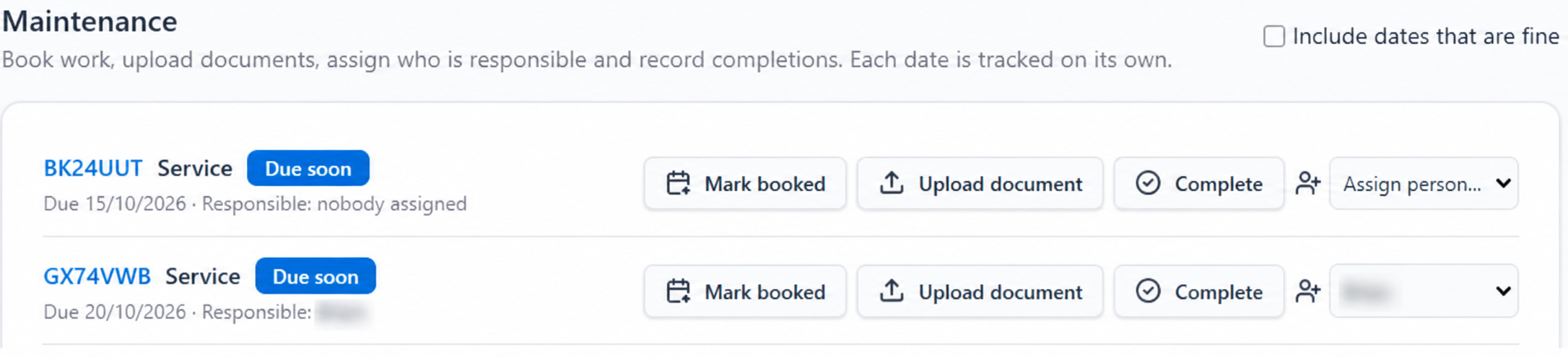
Turn approaching dates into clear next steps
Track MOT, service, road tax, insurance, lease end, warranty, breakdown cover, tyres, major service and custom dates. Dates that genuinely do not apply can be marked not required.
Configured reminders
Use existing FileGuard email schedules such as 90, 60, 30, 14 and 7 days for the dates you configure.
Practical action workflow
Assign a person, mark work booked, upload evidence and complete the record when the work is done.
History that stays useful
Completion records maintenance history and lets you set the next due date without losing the supporting record.
The supporting records your fleet team needs
Documents & history
Store supporting vehicle documents centrally. Completed work records maintenance history and the next due date.
Fuel & running costs
Record receipts, supplier, litres, cost and mileage. Review costs by vehicle, category and month; cost per mile appears when enough mileage readings exist.
Drivers & check dates
Keep driver records, licence expiry and last or next licence-check dates. This supports recorded checks; it is not automatic DVLA validation.
Issues through to completion
Report issues and move them through reported, booked, repairing and completed stages, with a clear record of progress.
Faster fleet setup
Add several vehicles together or import CSV and Excel files with templates, field mapping, preview and validation before import.
Health at a glance
See a health score based on recorded dates and issues. It supports oversight, but it is not a roadworthiness certification.
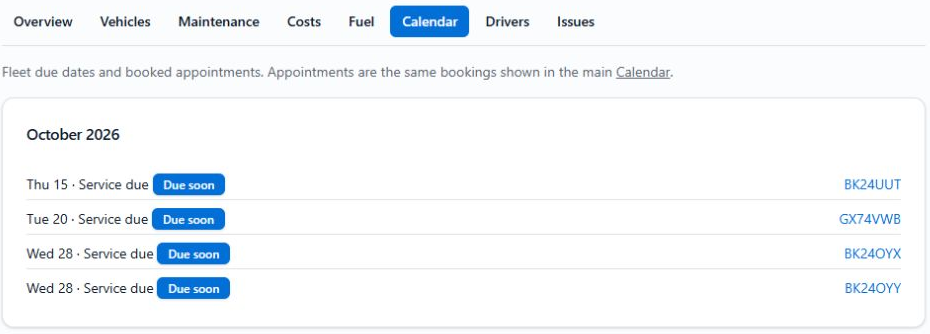
Plan from one Fleet Calendar
Bring vehicle due dates and booked appointments into the calendar, so upcoming work is easier to see across the fleet.
Works alongside your telematics
GPS and telematics platforms help track location, journeys and live vehicle activity. FileGuard does not provide GPS or location tracking. It gives your team a clear home for vehicle documents, important dates, maintenance records, running costs and reminders — complementing the operational data you already use.
Fleet questions, answered
What types of fleet is FileGuard suitable for?
FileGuard Fleet is designed for UK businesses operating company cars, vans, pool vehicles, courtesy cars or a mixed fleet. It works whether vehicles are owned, leased or financed.
How do Fleet reminders work?
Fleet uses FileGuard’s existing date reminder system. You can record dates such as MOT, service, road tax, insurance, warranty and custom dates, then use configured reminder schedules such as 90, 60, 30, 14 or 7 days. Reminders depend on the dates and settings you configure.
Does FileGuard replace telematics or GPS tracking?
No. Telematics platforms focus on vehicle location, journeys and live driving data. FileGuard focuses on documents, dates, maintenance, costs, reminders and evidence, so the two can work alongside each other.
Can we import an existing vehicle list?
Yes. FileGuard supports CSV and Excel vehicle imports with a template, field mapping, preview and validation. You can also use multi-vehicle entry for a smaller batch.
How do we get Fleet enabled or arrange a demo?
Fleet is enabled for organisations that need it. Contact us to enable Fleet for your organisation or request a focused Fleet demo, and we’ll discuss your vehicles and record-keeping needs.